
Haven't received your school's Wellio parent login? Please contact your child's school. Wellio Support can't share a school's login details with families.
What you'll need
Your child's school will send you a parent email for Wellio. Every family at the school uses the same login, so you don't need to create your own account.
How to sign in
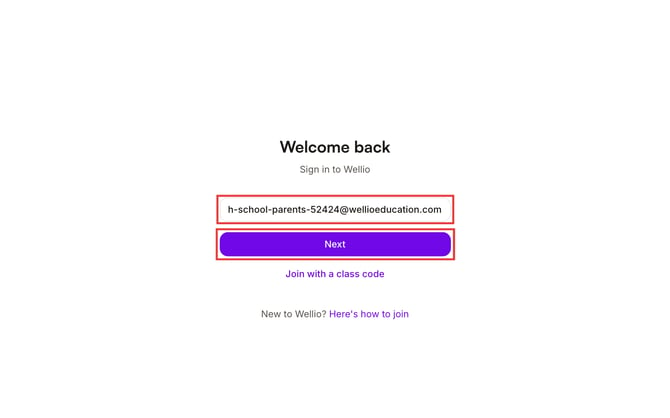
- Go to the Wellio sign-in page.
- Enter the parent email your school gave you, then click Next.
Finding your child's lessons
- After you sign in, you'll see the Lessons page. It shows each sequence of lessons your school teaches this year, with the year levels it's for.
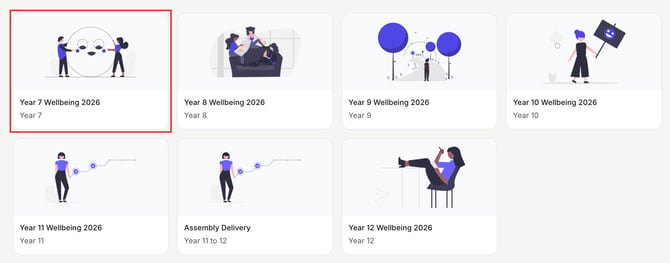
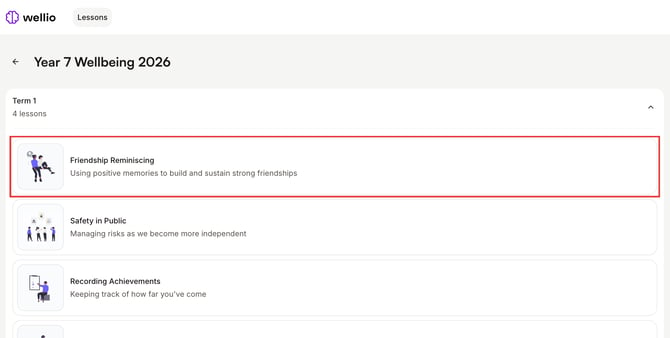
- Click a sequence to see its lessons, grouped by term.
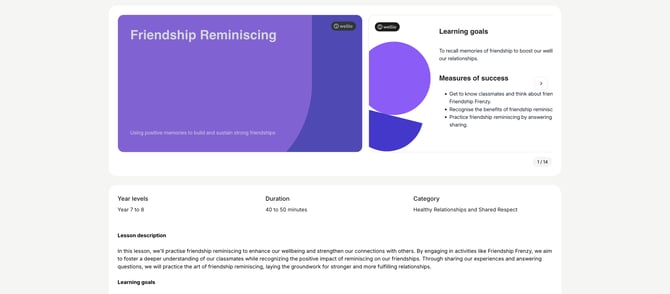
- Click a lesson to look through its slides, and see the year levels, how long it takes, its category and an overview of what students will learn.
What parents can and can't see
The parent login shows the lessons your child's school teaches this year, so you can talk about them at home. It doesn't show any classes, students, or your child's answers or results.
Troubleshooting
I see “No lessons yet”
Your school hasn't published its lessons for this year yet. Check back later, or ask your school when lessons will be available.