
What are student avatars?
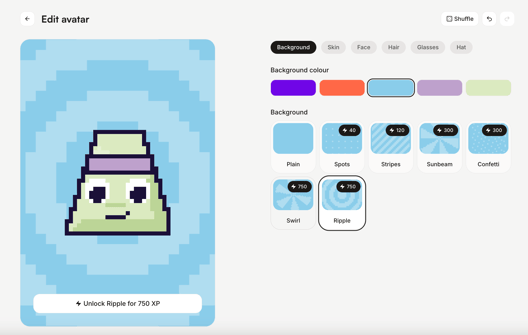
Every student in Wellio has a pixel-art avatar instead of a photo. It's shown wherever the student appears in Wellio.
Every new avatar starts the same, with purple skin and purple hair. Skin comes in fun colours (Purple, Coral, Sky, Lavender and Sage) rather than real skin tones, so an avatar doesn't say anything about who the student is. Students can change their avatar at any time.
Avatars don't look like the student, and teachers and staff don't have one.
How do students earn and spend XP?
Students earn XP by taking part in lessons: answering Spark questions correctly, giving thoughtful answers to open questions, giving lesson feedback, and completing surveys and assessments.
They spend XP in the shop to unlock avatar items. Lots of items are free. The rest cost XP depending on their tier, from Common at 40 XP up to Legendary at 750 XP.
For the full list and the steps students follow, share XP Points with your class.
Can our school switch avatars off?
Not at the moment. Avatars are on for every school, and schools can't switch them off themselves.
If you have concerns about avatars or the XP shop at your school, contact Wellio Support or your Customer Success Manager.