What you'll see on your Class page:
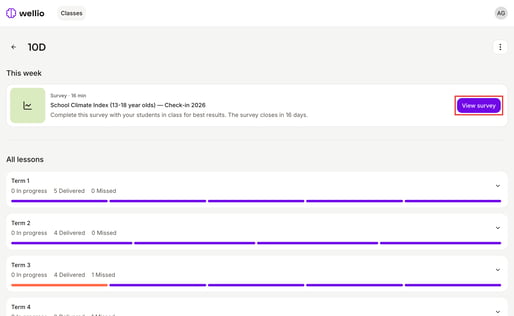
At the top of the page, you'll see your class name and the Manage students and Manage teachers buttons. To check the class's sequence, year level or school year, open the class Settings.
Under This week, you'll see the lesson you need to teach this week.
An open survey also shows up under This week, just like a lesson. Click View survey to see the questions, then present it to your class. See How teachers run Wellio Surveys in class.
If your class is new to Wellio, its first lesson is a short Welcome to Wellio lesson. It shows students what Wellio is and how it works. You prepare and present it like any other lesson.
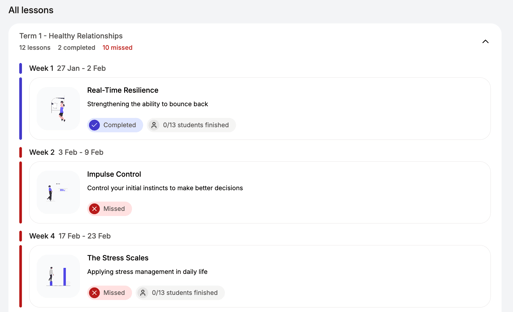
When you open your Class page, lessons are grouped by school term. Each term shows a snapshot of your teaching progress, including:
-
✅ Delivered – how many lessons you’ve completed
-
📌 In progress – lessons you've started but haven't finished yet
-
⚠️ Missed – lessons that were scheduled but not taught
You’ll automatically land on the current term, and the page will scroll to the lesson you need to teach this week.
Click on the drop-down arrow to expand the view: